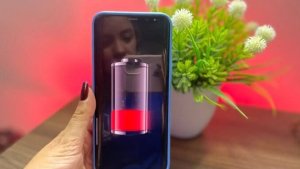
Waiting hours for your phone to charge can be quite frustrating, especially when you need to leave the house or use the device for work, study, or communication. Fortunately, there are some settings and apps that help optimize the charging process.

Accu Battery - Battery
In this article, you will learn How to charge your cell phone faster, Learn best practices for reducing charging time and discover an app that monitors charging speed and battery health.
Why does my cell phone take so long to charge?
Several factors can cause loading to be slower than expected.
The most common reasons include:
- Use of low-power chargers.
- Damaged USB cables.
- Apps consuming power while recharging.
- High temperature of the device.
- USB port with dirt.
- Worn-out battery.
- Intense use of the cell phone while it is charging.
In most cases, small changes in habits can significantly reduce the time needed to complete the load.
Tips for charging your cell phone faster
Some simple practices make a big difference in loading speed.
- Use original or certified chargers.
- Prefer wall outlets instead of computer USB ports.
- Activate airplane mode while charging.
- Avoid playing games or watching videos while charging.
- Remove the cover if the device is overheating.
- Close resource-intensive applications running in the background.
- Keep the USB port clean at all times.
These recommendations help the charger deliver power more efficiently.
Meet AccuBattery
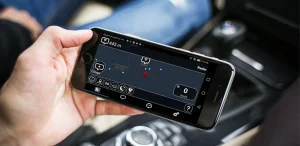
An excellent option for monitoring charging performance is the AccuBattery. The app displays detailed information about charging speed, temperature, estimated battery capacity, wear and tear, and power consumption.
In addition to monitoring charging in real time, it also helps identify potential problems that may be reducing battery efficiency.
Advantages of Applications
Monitors charging speed.
See how many milliamps are going into the battery and monitor the charger's performance.
Identifies slow chargers.
The app helps you compare different chargers and cables to find the best combination.
Monitor the battery temperature.
Overheating can reduce charging speed. The app alerts you when the temperature is high.
Shows battery health.
Over time, battery capacity decreases. The app tracks this wear and tear and provides updated estimates.
Simple and intuitive interface
All information is displayed in an organized and easy-to-understand way.
Tips for preserving your battery
Charging quickly is important, but preserving battery life also makes a difference.
- Avoid exposing your cell phone to excessive heat.
- Use certified chargers.
- Do not force the USB cable during connection.
- Avoid frequently letting the battery completely discharge.
- Keep your operating system up to date.
- Clean the USB port periodically.
These precautions help maintain battery performance for much longer.
Is it worth using apps to monitor charging?
Yes. They don't directly increase the charger's power, but they allow you to identify problems such as faulty cables, low-quality chargers, overheating, and battery wear.
With this information, it becomes much easier to improve charging performance and extend the lifespan of the device.
Download for Android and iPhone
You can download the app using the official links below:
Accu Battery - Battery
Frequently Asked Questions
The apps don't increase the charger's power, but they help monitor charging speed and identify factors that reduce its efficiency.
Yes. Because the phone reduces power consumption during this mode, a larger portion of the energy received is used to charge the battery.
Ideally, use original or certified chargers that are compatible with your device's charging technology.
Yes. When the device gets too hot, the system automatically reduces the charging speed to protect the battery.
Yes. Monitoring battery health helps identify natural wear and tear and allows you to adopt habits that extend its lifespan.